From tedious year-end paperwork to a daily coaching tool
I mapped a process that was mostly undefined, then turned it into one shared view where managing partners spot struggling advisors early instead of after the fact.
- Role
- Design Lead, Field Rewards. I led all of the discovery and designed most of the solution, then handed it to a senior designer to finish when I was promoted to Director.
- Company
- Northwestern Mutual
- Partners
- Field Rewards product and engineering
- Released
- 2023 · Came out of the Field Rewards vision
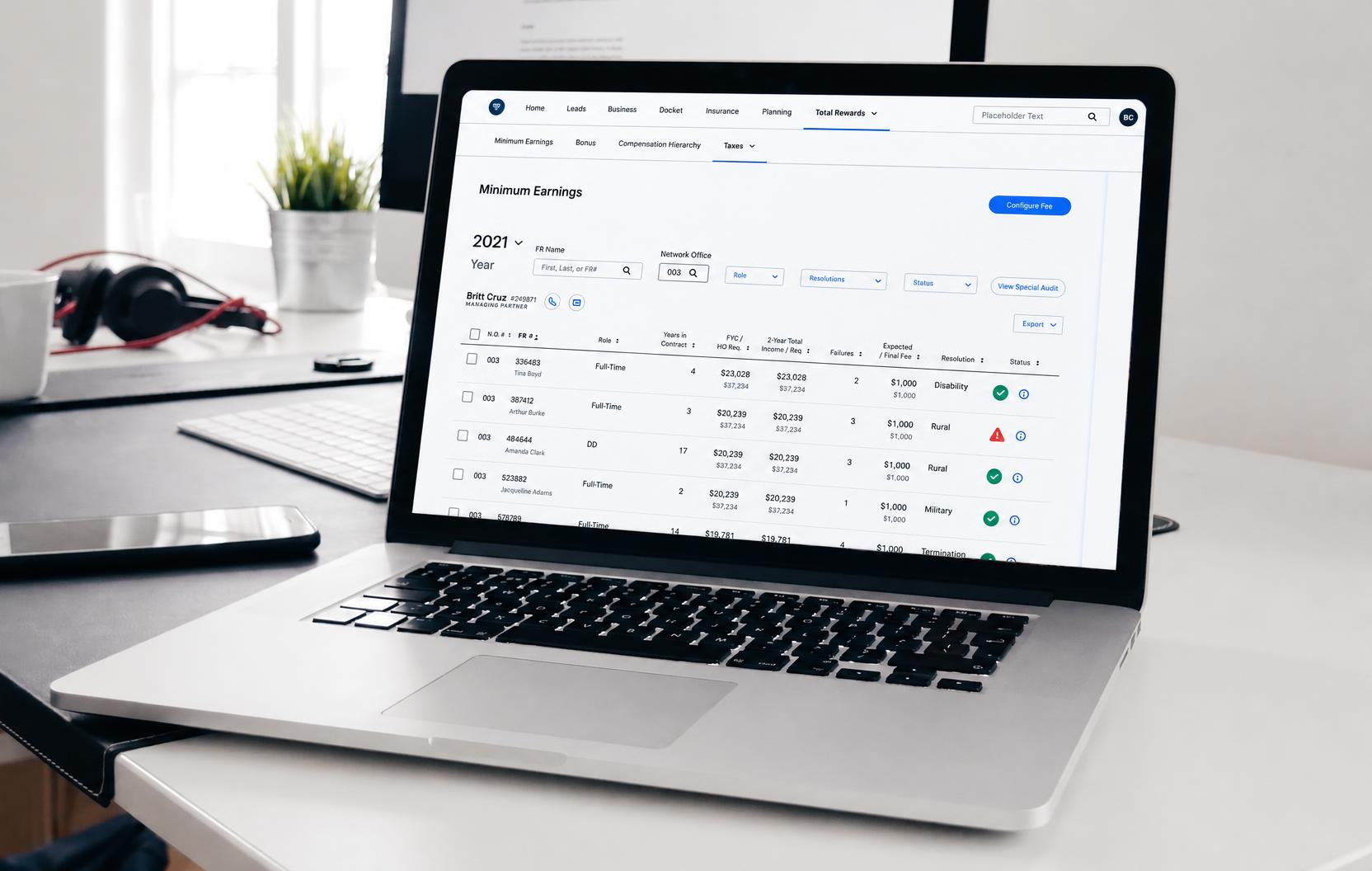
Every Northwestern Mutual advisor has to meet a minimum earnings requirement each year. Checking it ran on printed reports, spreadsheets and email between managing partners in the field and the home office, and no one person used a standardized process. I mapped it end to end, then redesigned it as a single shared view with clear status at every handoff. It also reframed the job: instead of a year-end compliance chore, managing partners now see who’s falling behind as it happens. It saves an estimated 1,750 hours a year, and 93% of managing partners said they’d use it to coach their teams.
A paper process for a coaching problem
Northwestern Mutual advisors must reach a minimum level of earnings each production year. The home office reviews the results. Managing partners, who run local offices, can grant exceptions, such as for a disability or military service. Advisors who miss the requirement may owe a fee and recurring misses end in dismissal.
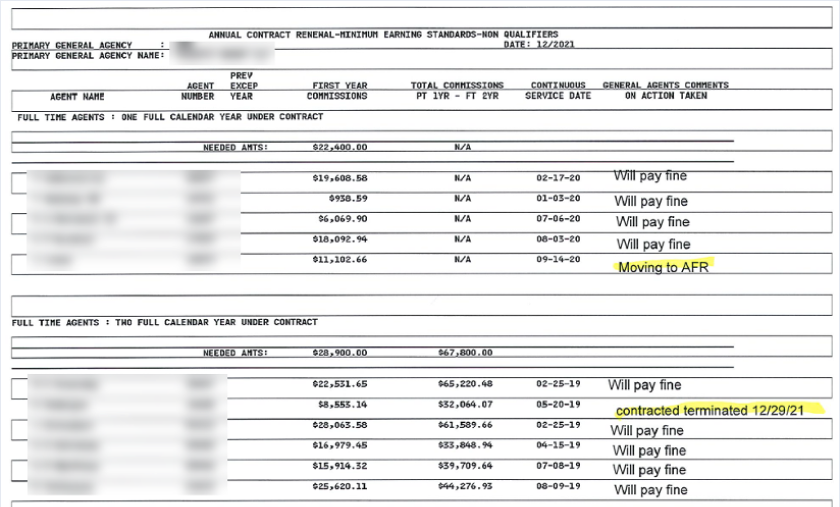
The process ran on paper. Every year, the home office generated printed reports. Managing partners wrote resolutions in the margins (“Will pay fine,” “Moving to AFR”) and sent them back. Then came weeks of calls and emails to sort out changes and corrections.
The bigger cost was hidden. Managing partners only saw who had missed the requirement once the year was over. By then it was too late to help.
Highly manual
Reports, resolutions, notes and calculations were all done by hand, absorbing hours for Home Office and Field alike.
Dated data
With little visibility into current numbers, managing partners reacted late, and struggling advisors missed coaching.
Cluttered communication
Every change, update or submission meant another call or email between Field and Home Office, and more time waiting.
Mapping a process nobody had written down
There was no documentation, and no single person knew how best to use the system of reports, spreadsheets and individual emails. Through interviews with the home-office specialists and managing partners who ran it, I pieced together the full flow, role by role. Along the way I found the points where people got stuck waiting, or lost track of where things stood.
Reviews performance and submits an exception for one FR
Approves or denies the exception
Managing partner
Logs into NMC and views a current-year list of FRs in their office
Managing partner
Filters and sorts within their office
Managing partner
Adds an exception for an FR
Managing partner
Submits the exception to HO for approval
HandoffHome office
Receives notification that an FR exception was submitted
Home office
Approves or denies a single item, or mass-actions all
Home office
Reviews, resolves and adds notes visible to MP
HandoffManaging partner
Reviews the list and sees the exception marked approved
Three decisions that shaped the solution
1. Design for coaching, not just compliance
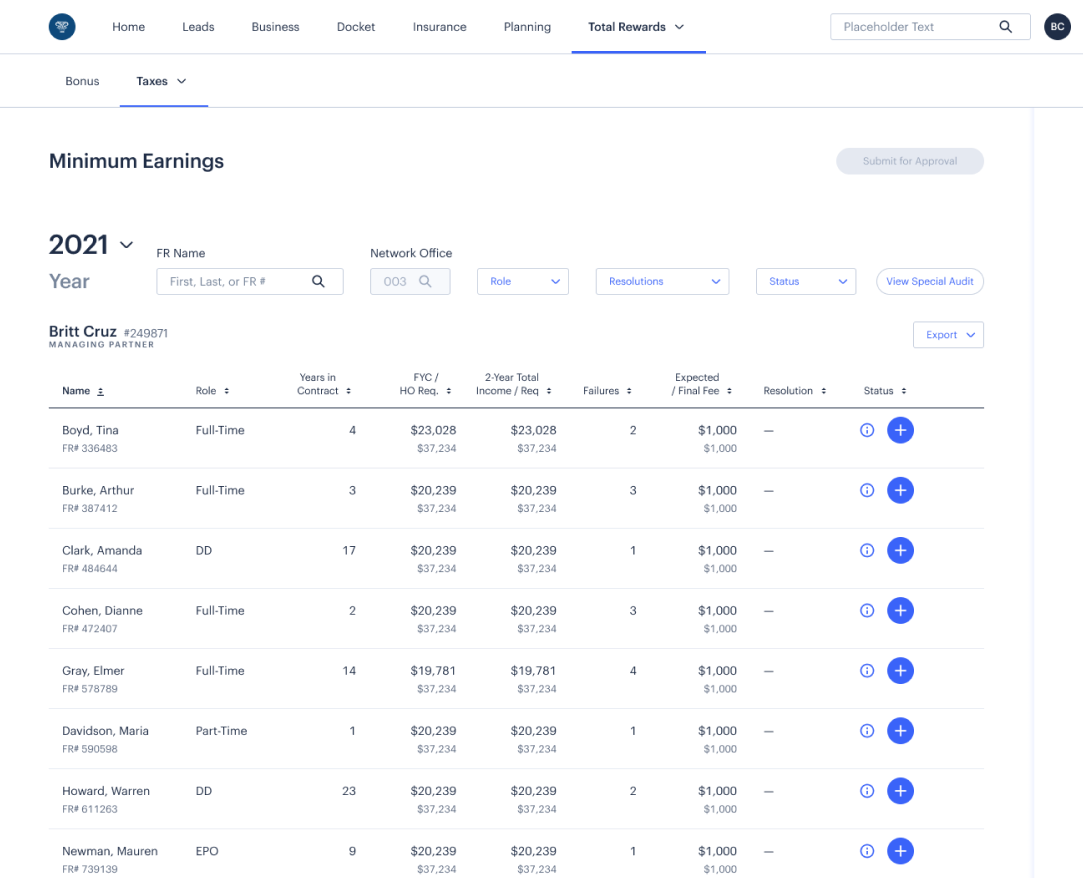
The project was to digitize for a year-end review. But the interviews showed the real opportunity: managing partners wanted to help advisors before they failed, and they couldn’t see who needed help. So the new view shows each advisor’s progress against the requirement, updated daily, all year long. Year-end resolution became the last step of a process that starts in January.
Timely updates
Managing partners couldn’t identify or help struggling advisors when they needed support.
Now they have a clear view of at-risk reps, updated daily, so they can track progress, check in and support their team before anyone is at risk of failure.
2. One shared view, with a clear status at every handoff
Instead of separate reports for each side, managing partners and the home office work from the same data. Every handoff carries a status and a notification:
- A managing partner submits exceptions, one at a time or in bulk, and the home office is notified.
- The home office approves or denies, and the managing partner is notified.
Status is no longer a mystery to either party.
Submits exceptions for all relevant FRs from the previous year
- Logs into NMXP and views their office’s FR list
- Filters and sorts within their office
- Adds an exception for each relevant FROpens doc modal
- Submits exceptions to HO, single or massNotifies HO
- Reviews the request and approves or deniesNotifies MP
- Sees the exception marked as approved
Adds an exception for the current or previous year
- Logs into NMXP and views all FRs on the Min Earnings list
- Filters and sorts to find one FR or a group
- Adds an exception for each relevant FRDoc modal optional
- Publishes the change to the FR recordNotifies MP
- Sees the exception marked as approved
3. Let the home office work by exception
Home-office specialists reviewed hundreds of offices. I gave them:
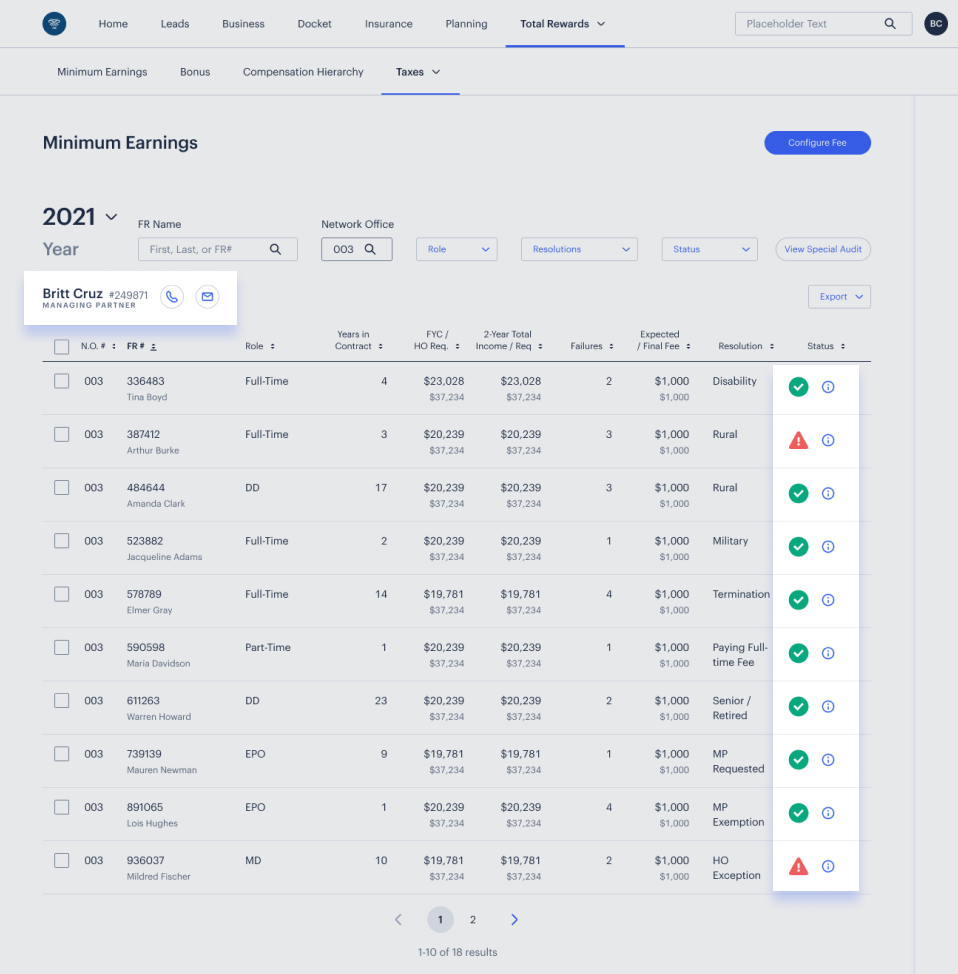
- a filter that shows only the offices ready for approval
- bulk approval
- documentation as an option rather than a requirement
Their review time now goes where a decision is actually needed.
Focus for the home office
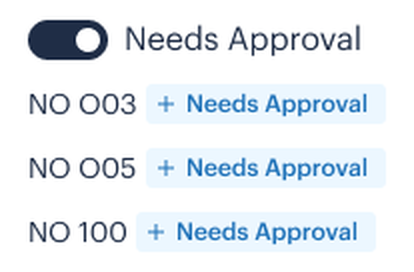
Smart filtering
After years of slow processes and cluttered screens, the home office can view only the network offices ready for approval, and focus on what needs attention.
Clear communication
Representatives who miss minimum earnings are flagged clearly, and the managing partner’s phone and email sit right in the view, so the next step is one click away.
Simplifying through feedback
My first wireframes met every requirement, and that was the problem: internal users found them overwhelming. We reviewed them with the people who’d use them and simplified in rounds:
- A clearer flow
- Stronger hierarchy
- Plain status indicators
Then came a step-through mode, so a managing partner can move advisor by advisor at year-end to set resolutions and add notes.
Less manual effort and a streamlined workflow, across both sides of the process.
The new minimum earnings process gives each person back two full days of work.
Managing partners who will use the information to actively track and coach their teams.
When a representative misses their minimum earnings, it’s often partly because their leader wasn’t aware and couldn’t coach. With better visibility, managing partners can step in early and set them on track.
What changed
An estimated 1,750 hours a year saved: roughly 200 hours of home-office time the manual process consumed, plus an estimated 1,500+ hours saved across managing partners in the field.
- 15+ hours saved per managing partner each year (estimated), about two working days
- 93% of managing partners said they’d use the new view to track and coach their teams
“This is wonderful and will save so much time. I’m about to cry.”
“Instead of waiting until the next run date to update coaches and MDs, they can get information much faster and not have to wait to reach out to their reps who are running behind.”
The longer-term impact is the one that matters most. When an advisor misses the requirement, it’s often partly because their leader didn’t see the warning signs in time. With a daily view, managing partners can step in early.
What I took away
The brief is a starting point. The request was to digitize a form. Listening to the people involved turned it into a coaching tool, and that’s where the real value was.
Simple is earned. The first version did everything and helped no one. The final one does less, more clearly, and that took several rounds.
Hand off with context. When I moved into the Director role, a senior designer finished the work. Because the process maps, decisions and feedback were documented, the design kept its direction through the handoff.